Navigation

A hotel key station with tagged physical keys, an NFC staff reader, and a live key custody board
Key ManagementLive

Every physical key tracked, accountable and visible in real time.

An NFC tag on every key. Check-out in 5 seconds at any station. A live status board across every tower and department. An immutable audit log. Automatic escalation the moment a key is overdue.

5 secaverage NFC check-out
96.4%30-day compliance score
NFCtag per key and station

The Problem

A master key on a paper logbook is a security incident waiting to be discovered.

In a large property with hundreds of keys and thousands of access events a week, a paper logbook is not a system. It is an open liability. Every missed entry, every off-shift handover and every contractor who kept a key a day too long creates exposure.

What a Hospitality Security Director Told Us

“A floor master key disappeared during a shift change. Eight hours of footage. Twelve interviews. No record of who had it last. By the time we re-keyed the floor, we had spent more than the cost of a full digital system.”Director of Security, Luxury Resort, Dubai

What This Costs Your Property

  1. Master keys go missing during shift handovers, and nobody knows where, when or with whom

  2. Restricted areas are entered with no record: server rooms, wine cellars and executive lounges open without accountability

  3. Contractor keys outlive permits, and vendors keep working keys long after the job is closed

  4. A lost key triggers property-wide re-keying, costing thousands of dirhams and days of disruption

  5. Inspectors and insurers ask for a key audit, and all you can produce is a paper logbook with gaps no one can explain

How It Works

From tag registration to overdue escalation, fully automatic.

A custodian linking a metal key's NFC tag to its key registry record at a physical reader01 / 05

Keys registered with NFC tags

Every physical key is given a unique NFC tag, a key type (Master, Sub-Master, Individual, Restricted or Emergency), a location, a station and its check-out rules: maximum duration, return deadline and approval requirements.
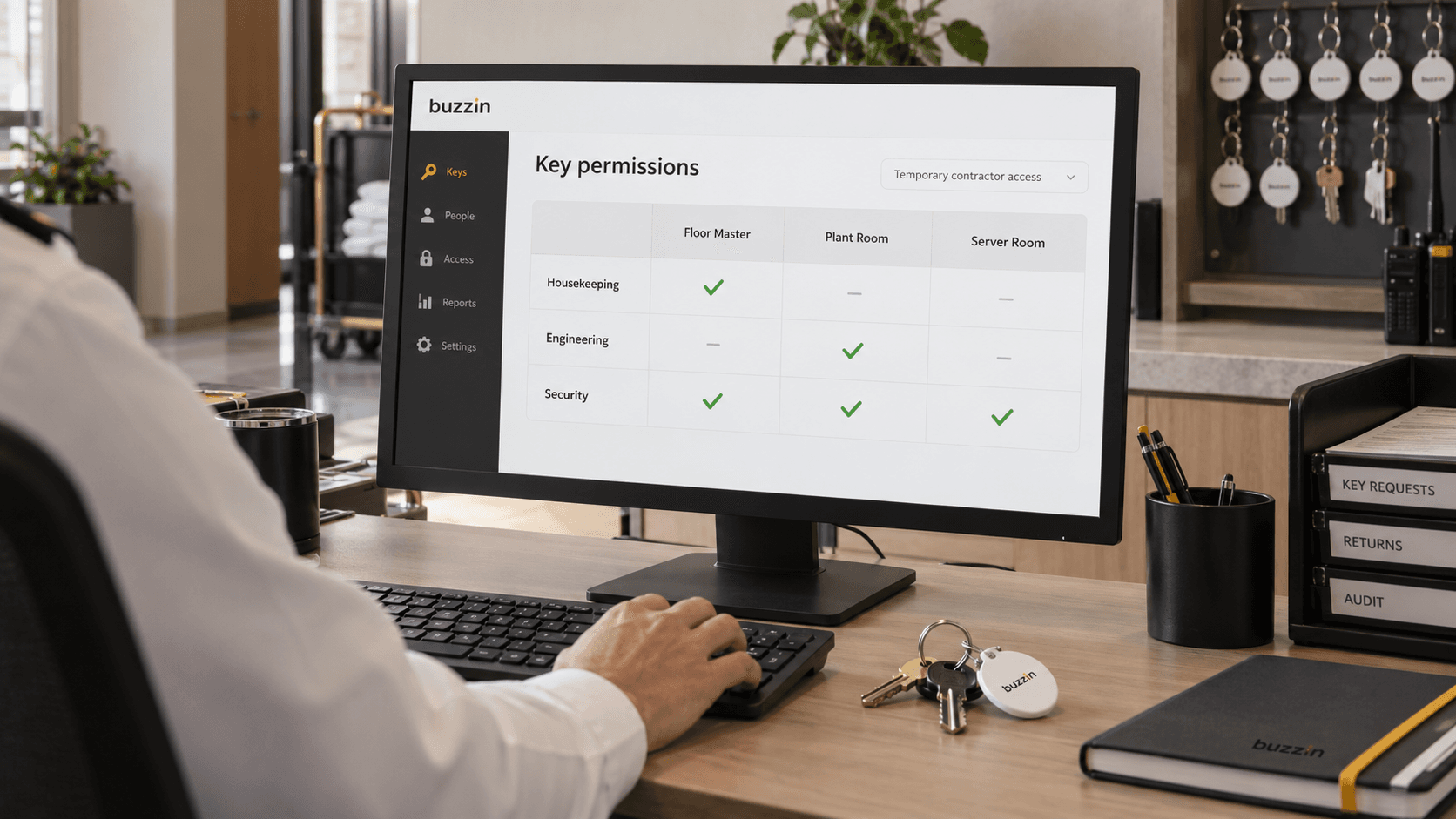
Over-the-shoulder view of a security administrator assigning key permissions by department02 / 05

Users enrolled with permissions

Staff and contractors are enrolled with role-based, individual or temporary key authorisations. Housekeeping, F&B, Engineering, Security, IT, Events and Facilities each see only the keys relevant to their role.

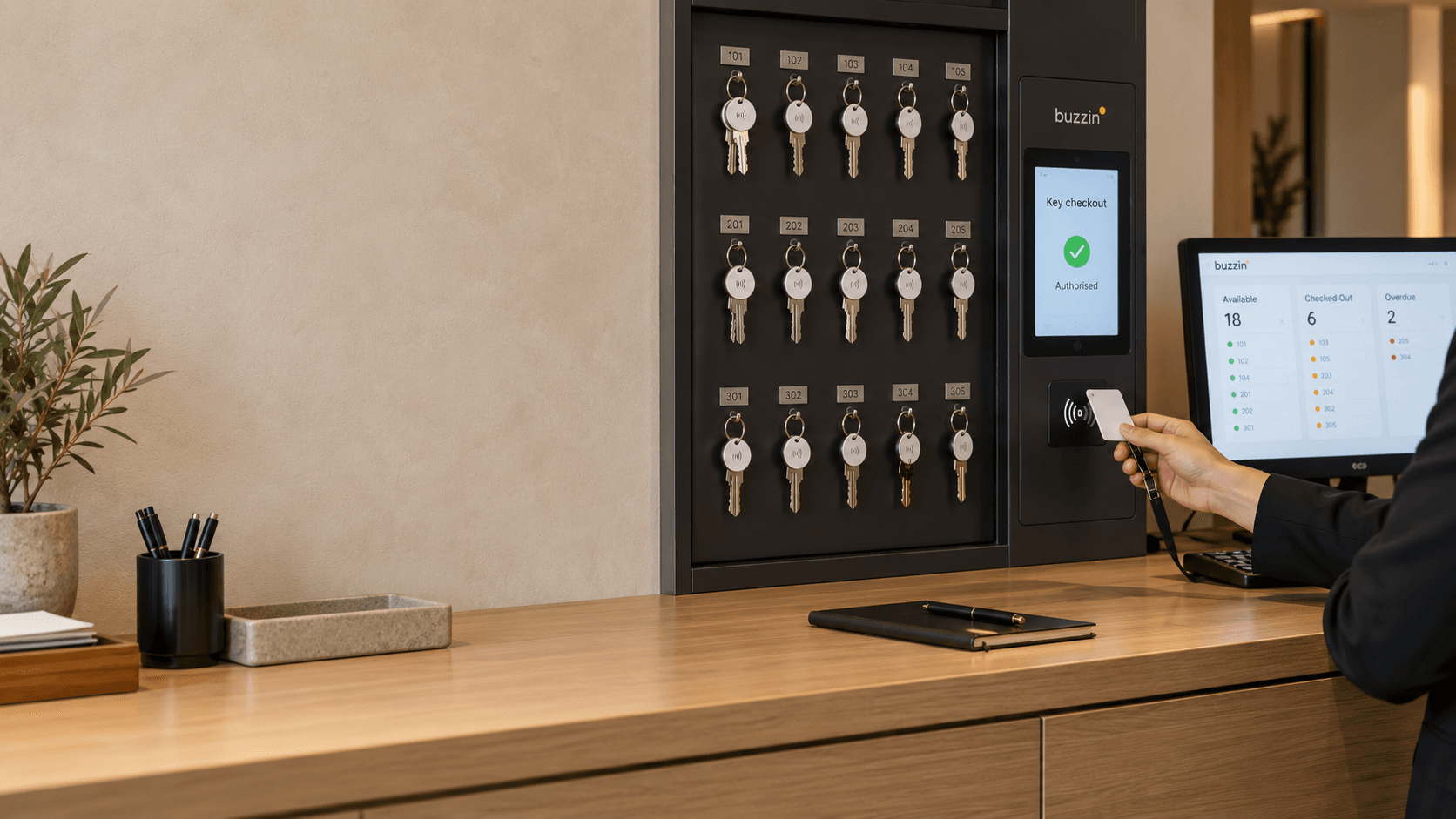
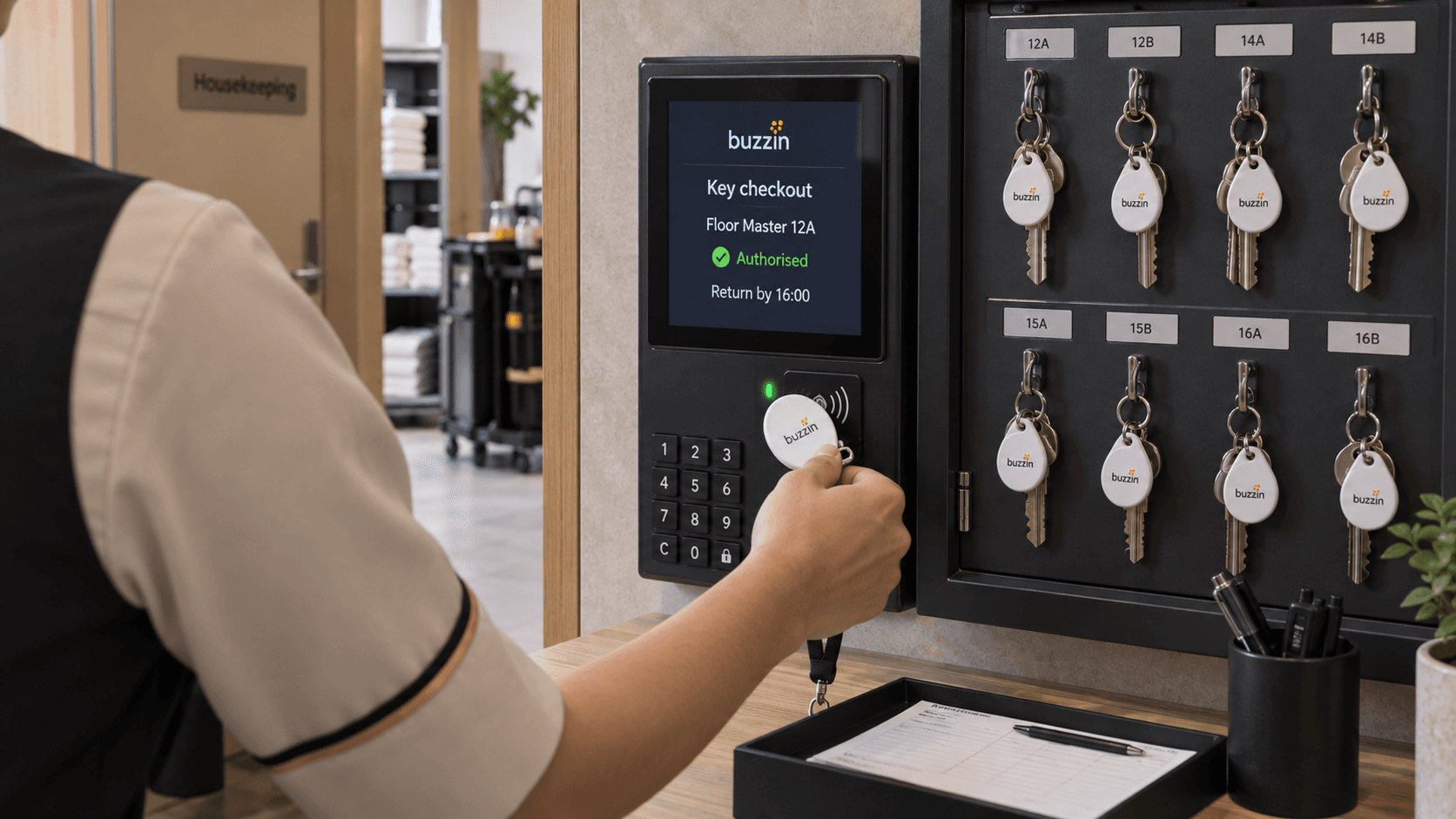
A staff member tapping an NFC badge at a physical key station with a PIN keypad03 / 05

Authorised users check out via NFC

The user taps their badge at a key station to take a key. Restricted keys need NFC and a PIN. Average check-out takes 5 seconds. Unauthorised attempts are logged and alert the custodian.

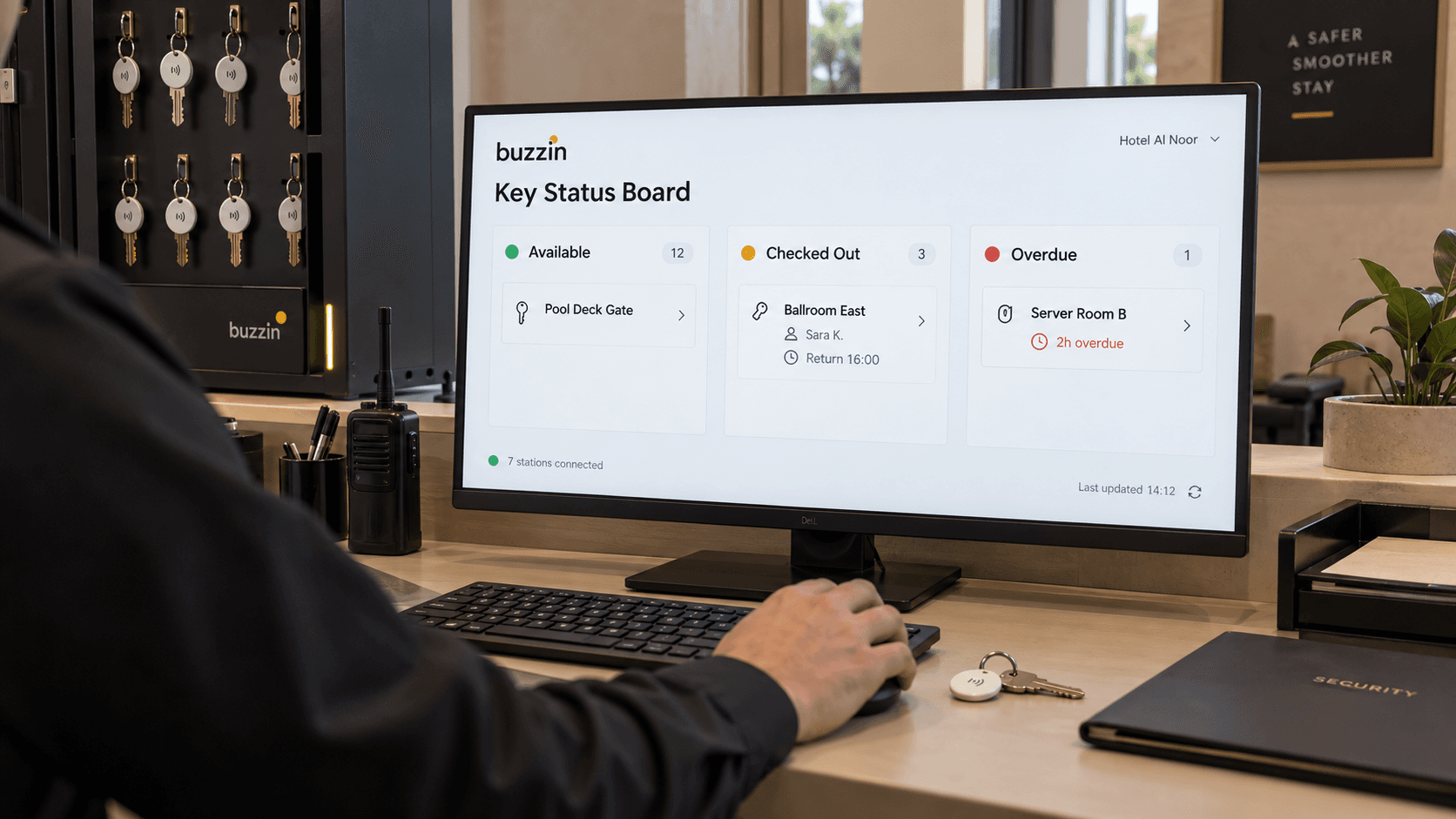
A monitor showing available, checked-out, and overdue physical keys across seven stations04 / 05

Live status board tracks every key

A three-lane Kanban view (Available, Checked Out, Overdue) syncs in real time from all 7 stations. Admins see who holds each key, for how long, and when it is due back.

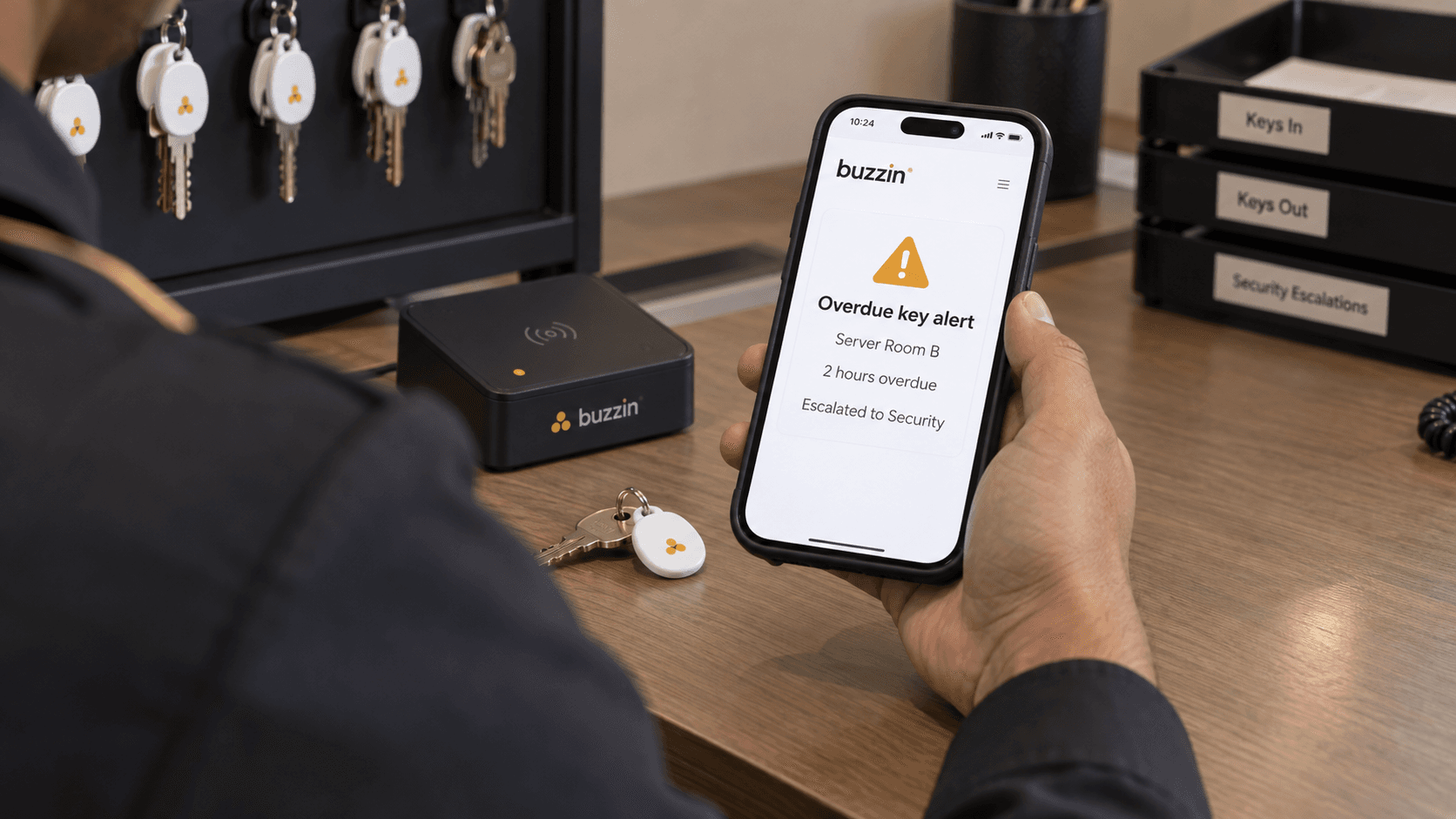
Over-the-shoulder view of a custodian receiving an overdue key alert escalated to security05 / 05

Overdue and exception events escalate automatically

Overdue keys, denied access, permit expiries and clock-out-with-key events trigger multi-tier alerts. Notifications move from push to SMS to WhatsApp and email, reaching the holder, custodian, managers and security in turn.

Hardware

NFC tags, fixed stations and PIN-confirmed access for restricted keys.

Stations are spread across the property rather than concentrated in a single cabinet. Check-out happens where the keys are needed, and every station reports its own health.

NFC Tags

Every physical key carries a unique NFC tag, scanned at registration and at every check-out and return. Tags cannot be cloned, and the system rejects unrecognised IDs. NFC and PIN can be combined for restricted keys.

Key Stations

Fixed terminals installed at key points: Main Lobby, Tower A, Tower B, Service Corridor, Pool Deck, Executive and Parking. Each station reports its own health and raises an alert when it goes offline, for example “Station 4 offline since 09:14”.

NFC + PIN

Added security for restricted keys such as server rooms and plant rooms. NFC identifies the user, the PIN confirms intent, and both factors are recorded in the audit log with the reader location and method.

Features

Every feature a multi-building security operation needs.

Use Cases

Every key in your property. One accountable system.

From floor masters to server rooms to ballrooms, Buzzin replaces the paper logbook with a real-time, audit-grade record of every check-out, return and exception.

01

Housekeeping Floor Keys

Floor master keys are checked out at the start of a shift and returned at the end. Overdue alerts go out before housekeepers clock out, with compliance scoring for each shift and supervisor.

02

Restricted Areas

Server rooms, wine cellars, plant rooms, executive lounges and security control. NFC and PIN are both required, and every access is logged with the reader location and method.

03

Contractor Keys

Vendor keys are tied directly to active work permits. They expire automatically when the permit closes, so vendors never hold access beyond their job window.

04

Event & Banquet Venues

Ballroom and event-space keys with check-out windows tied to the event schedule, and a per-event audit trail for incident reviews and venue handovers.

05

Multi-Building Properties

Several towers and key stations, one dashboard. A property switcher for group operators, and cross-building check-outs and transfers that are fully audited.

06

Compliance Reporting

A 30-day compliance score for each department, signed PDF exports for inspectors, and lost-key incident reports with full holder, station and timeline detail.

Ecosystem

Key Management plugs straight into the Buzzin platform. It is not a standalone tool.

Contractor keys expire with their permits. Staff cannot clock out with a key still in hand. Every event lands on the same immutable audit log as visitors, permits and attendance.

Connected to Work Permits

When a contractor's work permit closes, every key tied to that permit is recalled automatically. No vendor leaves site with a usable key, and no admin has to remember to deactivate it. The two systems share one record.

  • Contractor keys expire automatically when a work permit closes, so no manual deactivation is needed
  • Clock-in and clock-out integration means staff cannot leave with a key still checked out
  • One shared audit surface for visitors, permits, attendance and keys, on a single permanent log
See Work Permit System

The Buzzin Platform

Identity, permits, attendance and key custody share one record. Configured once, audited everywhere.

Security & Compliance

Security built in from day one.

  • Privacy by design
  • UAE Pass
  • On-premises available
  • TLS 1.2+

See Buzzin in action

Ready to put every key on the record?

We will show you how Buzzin Key Management works for your property, from floor masters to restricted areas. Book a 30-minute demo.